26
Mar
XNA 2D Independent Resolution Rendering
Independent Resolution Rendering?? What’s this all about?
Basically a way of not caring what you resolution is. Ever had Gui elements misplaced because you changed the resolution? Or getting out of the screen?
If you are doing a game on Xna just for Xbox360 you can basically use a 1280×720 base resolution and the Xbox will scale the game for you making the proper Letterbox.
But what about on Windows? Or if you use a different resolution on the Xbox? You have to manage that yourself.
I’ve made a small example on how to achieve this.
By the means of a class that I called Resolution ( just change it for whatever you feel it’s better) you can set both Virtual and Actual Resolution. Virtual or Base resolution is what I call the actual resolution in which I’ll work everything, and you stick with it, for both moving sprites, calculations etc. It’s your working Resolution. The other one is the resolution at which the game is rendering, which we want to be independent of the game. So the class will scale your Virtual to the Actual, making a LetterBox or a PillarBox to match them.
Resolution.SetVirtualResolution(1280, 720); Resolution.SetResolution(800, 600, false);
This is telling that you are working as if the game is on a 1280×720 but it is rendering on a window of 800×600.
The third flag is fullscreen or windowed.
On the main Draw Pump just add the following so that the class can make the appropriate viewport (for this part I based myself on Nick Gravelyn tutorial about fixed aspect ratios)
Resolution.BeginDraw();
Next whenever you make a SpriteBatch.Begin() you have to pass the Resolution Scale Matrix as the forth parameter:
spriteBatch.Begin(SpriteBlendMode.AlphaBlend, SpriteSortMode.Immediate, SaveStateMode.SaveState, Resolution.getTransformationMatrix());
Now you can draw everything on the same way you would normally do
spriteBatch.Draw(_texture, Vector2.Zero, Color.White);
This said you can now change to different Resolutions keeping the same base and the same code and this will scale everything for you, neat right?
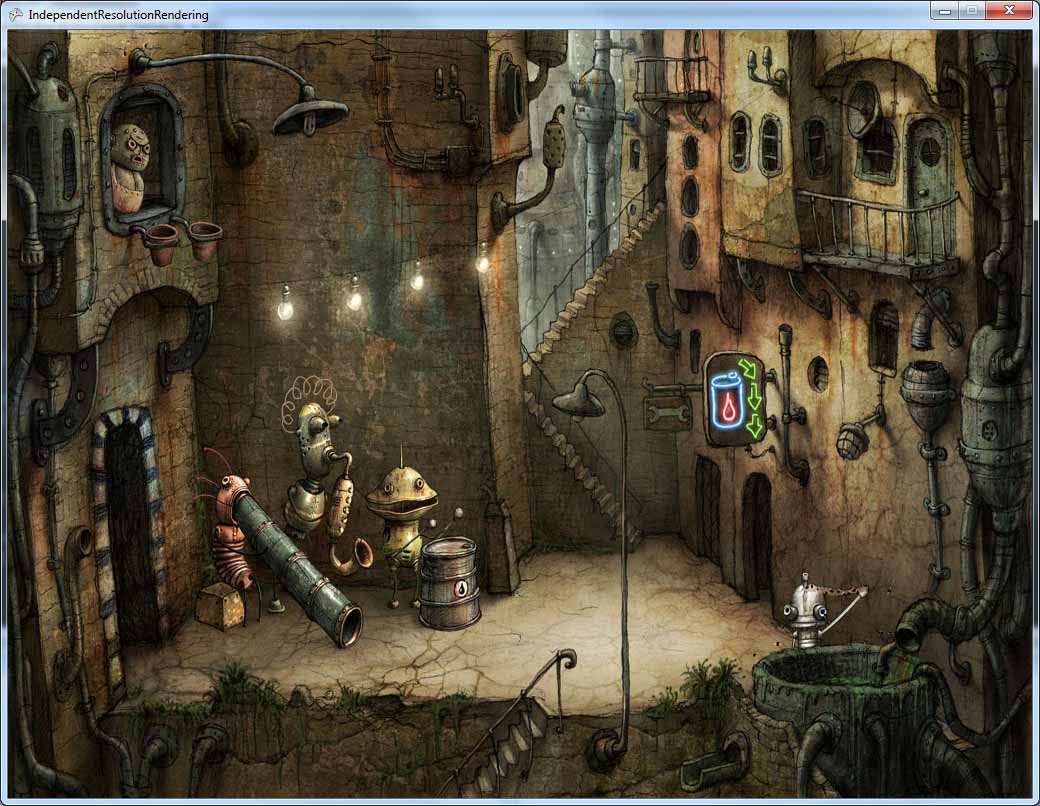
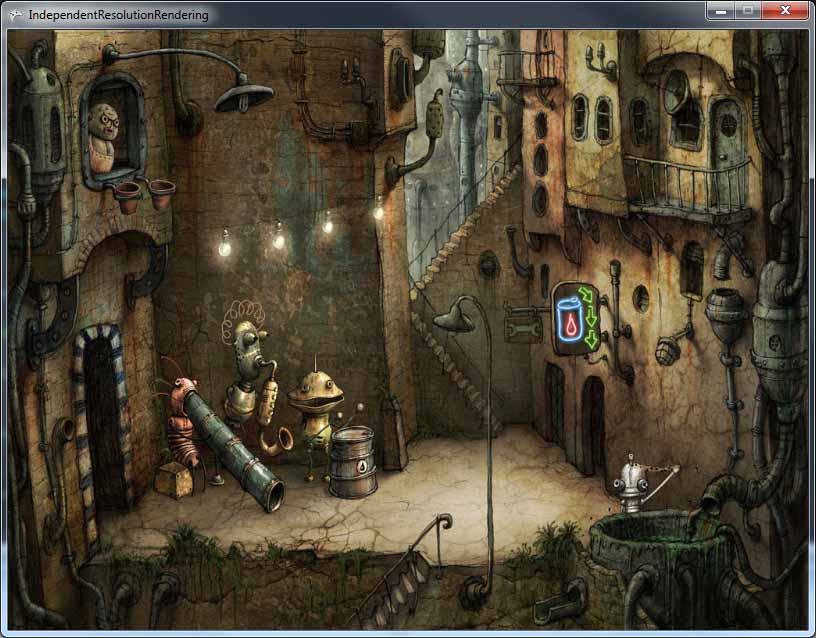
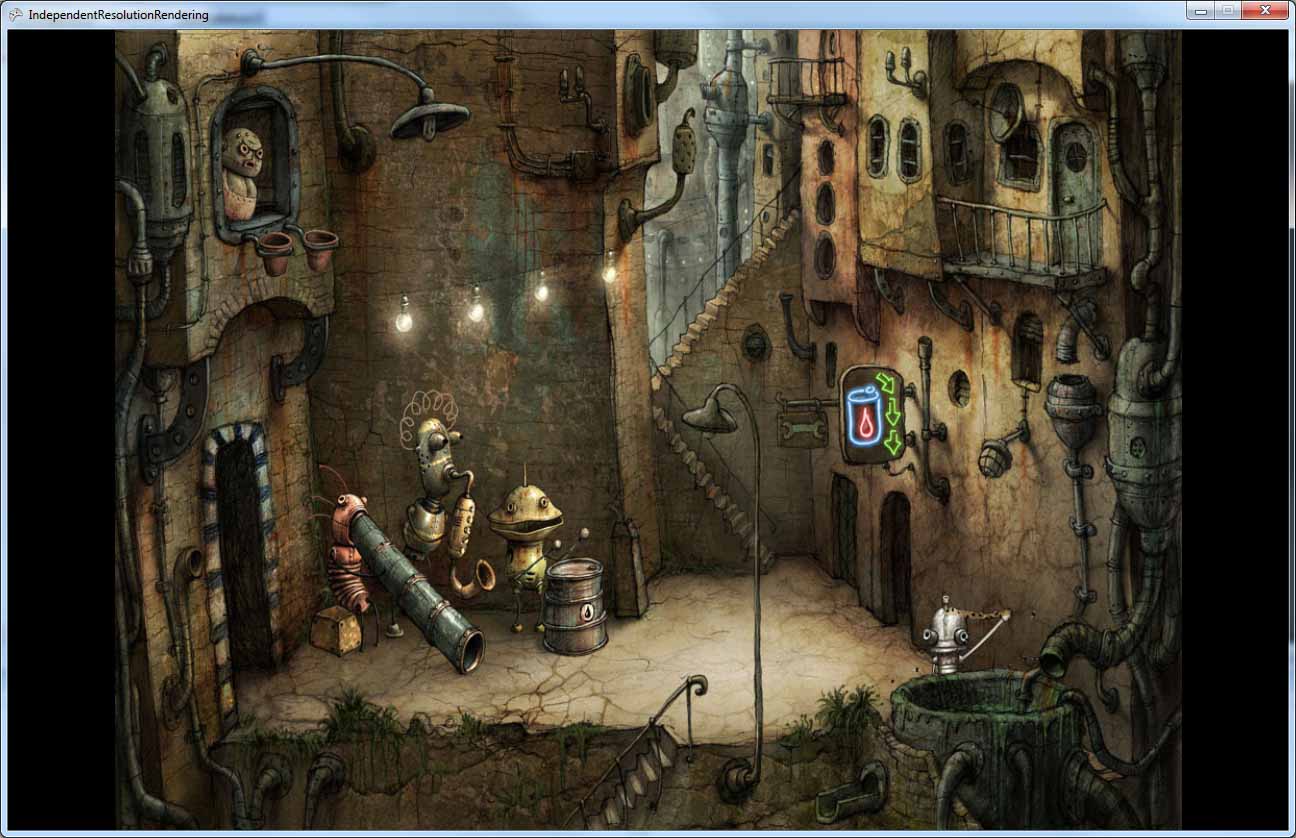
Here are a few screenshots of an application (using Machinarium) with a Virtual resolution of 1024×768 on different real resolutions
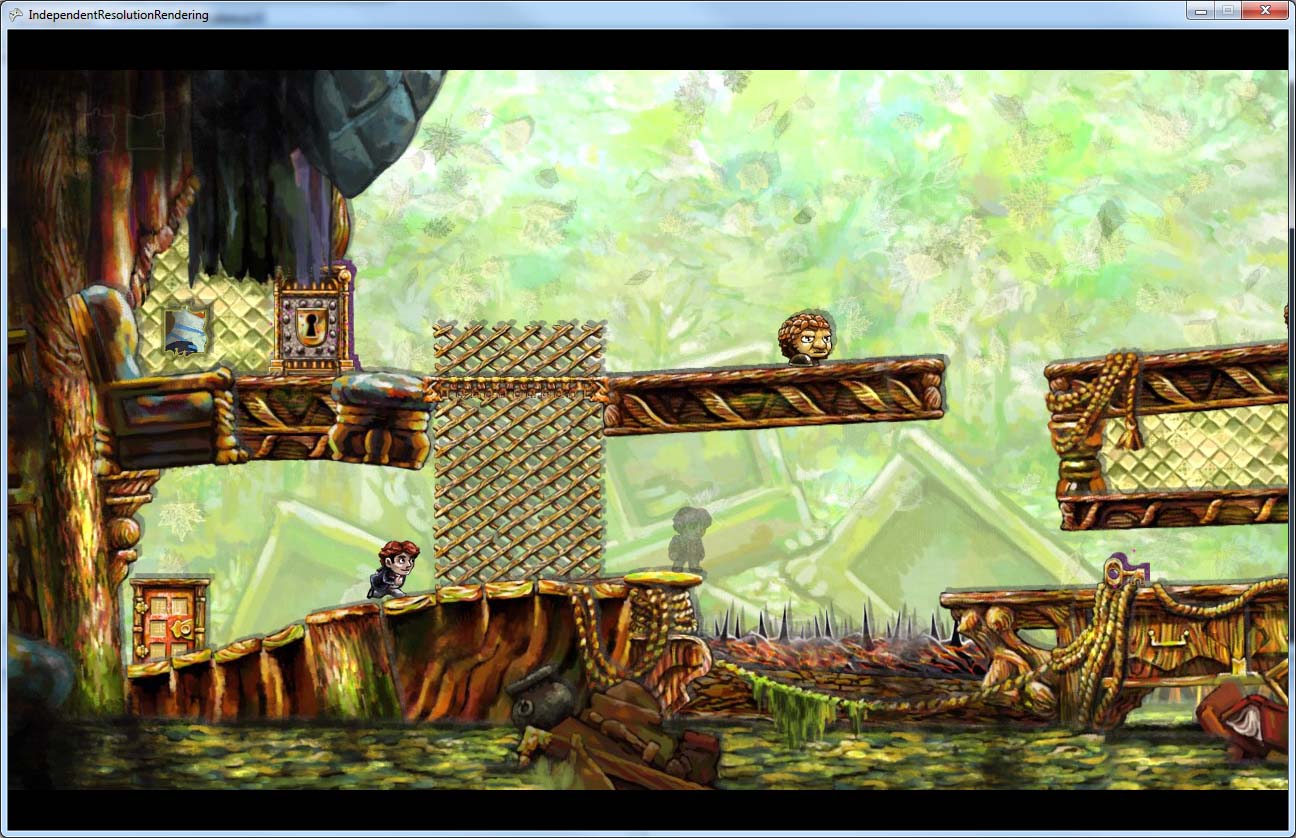
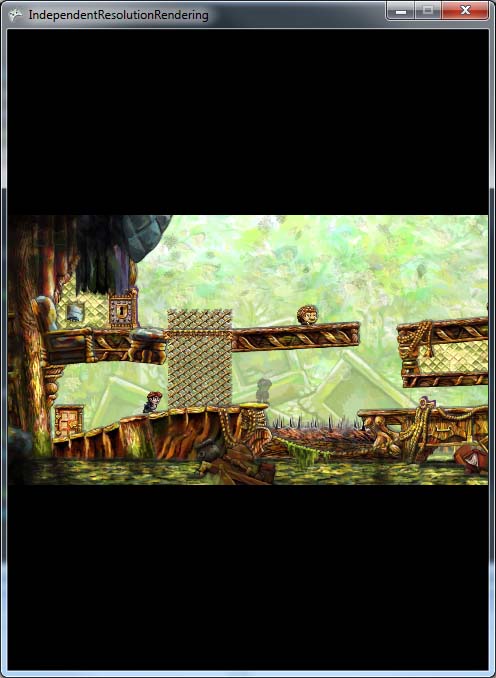
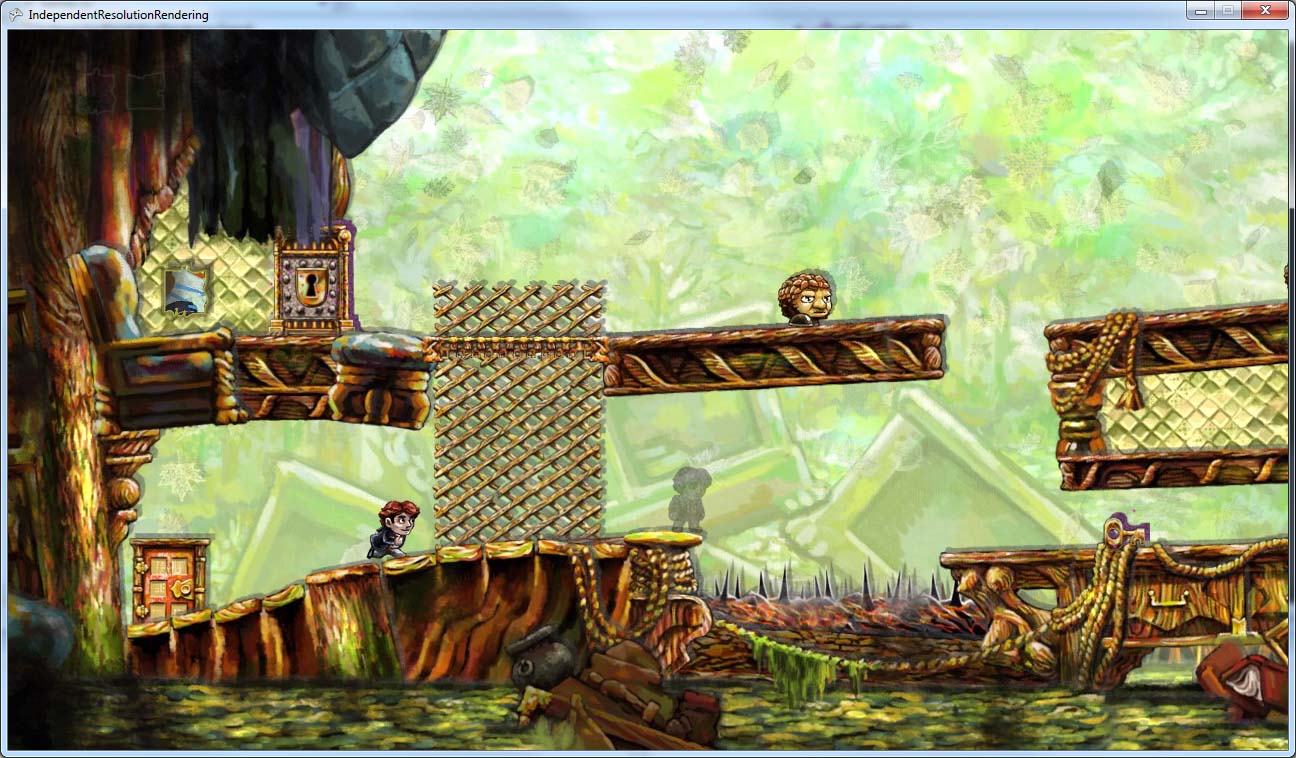
An another example (using Braid) with a Virtual Resolution of 1280×720
You can download the project with the source here. Once again if you run into any mistakes (most probably
) let me know.


March 26th, 2010 at 22:45
cool:)
Thinking in integrate it with my engine too:)
Thanks for sharing!
March 26th, 2010 at 23:28
[...] Amador shares his code to work with a fixed resolution on Windows without having to manage the placement of your renderables yourself. Sez David: Independent [...]
March 27th, 2010 at 2:05
Nice one
My engine is working with a fixed resolution only, so this will help me a lot
March 27th, 2010 at 13:29
[...] This post was mentioned on Twitter by hebus, David Amador. David Amador said: New Blog Post: XNA 2D Independent Resolution Rendering http://www.david-amador.com/2010/03/xna-2d-independent-resolution-rendering/ [...]
March 27th, 2010 at 18:27
This is amazingly sweet!!
This should help a ton for my current WP7 project which I am currently developing at 1280 X 720.
I was dreading resizing all of my textures for 800 X 480 landscape WP7 mode.
Thanks for posting this.
Allan Chaney
May 7th, 2010 at 9:56
Fantastic! Just what I was looking for
May 7th, 2010 at 20:41
[...] the input to make use of the Touchscreen, and finally since I’m using my engine basalt I have independent resolution rendering so I just told the system “run in 800×480 now” and the native resolution is still [...]
June 25th, 2010 at 12:28
Thanks for sharing this!
But one off Topic question: How have you bought Braid/Machinarium in a XNA Window? Are these Game with XNA?
June 25th, 2010 at 12:43
Hi Niklas,
No not really, it’s a screenshot of the games just to show what would happen to your game. I’m using a Texture2D and it’s automatically scaled to the proper aspect ratio.
August 4th, 2010 at 17:01
Ah.. Simple but effective
January 5th, 2011 at 22:50
You know what.. Can you please moderate my previous post and delete it? I made a stupid mistake. I switched SetVirtualResolution and SetResolution by accident. Your class works fine. And it’s great! No modifications needed nothing.
January 6th, 2011 at 11:01
Done. Thanks for you feedback
January 28th, 2011 at 11:48
Hello,
Nice article, but it left me wondering on two points, maybe you could clear things up.
1) I was wondering if by using this approach, wouldn’t it also be required to transform whatever mouse coordinates you receive from Mouse.GetState() with the inverse of the resolution matrix, in order to get it back into “game space” and be able to do picking or anything you need?
2) And what if your SpriteBatch is already using a transformation matrix (such as for camera transformations). Would multiplying them together be enough (and is the order of multiplication relevant here?)
Thanks,
David Gouveia
January 28th, 2011 at 12:15
1) Yes you have to translate whatever you receive from Mouse.GetState(). In fact you should abstract Mouse with your own class. So when you receive Mouse pos from your class it’s automatically translated to the current resolution and it’s transparent for your game. It’s wise to put wrappers around most XNA stuff to have more control and abstraction for stuff like this,
2) Yes you have to multiply them and pass it to SpriteBatch. Order is important. If I’m not mistaken you should do CameraMatrix * IndependetResolutionMatrix. But try it both ways if it fails
Cheers
February 21st, 2011 at 20:31
Hello David!
I just added independent resolution rendering to my engine today, and would like to share my experiences to make life easier for anyone that reads this and is faced with the same problems.
1) Converting mouse coordinates from “window space” (what Mouse.GetState gives you) to “viewport space” (what you’d have without independent resolution implemented) needs to take into account both the scaling matrix and the translation (that creates the letterbox or pillarbox).
After some tweaking, what finally worked for me was this:
Vector2.Transform(_mousePosition – new Vector2(Resolution.ViewportX, Resolution.ViewportY), Matrix.Invert(Resolution.Matrix));
Where Resolution.ViewportX and Resolution.ViewportY are the X and Y values calculated for the inner viewport (I cached them and added acessors).
AND when drawing the mouse cursor, I also scale it with the independent resolution matrix so that it grows or shrinks correctly.
This way, when the mouse is on the borders of the inner viewport, you get the coordinates specified for your virtual resolution as intended, properly scaled and translated.
2) You were right about the order. So if your game implements a 2D camera by passing a transformation matrix to SpriteBatch and you want to mix it with independent resolution rendering, simply multiply both matrixes together, like so: CameraMatrix * IndependentResolutionMatrix.
David Gouveia
March 6th, 2011 at 16:21
This is so great. Thanks man. Especially for sharing the complete class
Best Wishes from Germany
Daniel
April 11th, 2011 at 12:21
Hey mate, I thought I should let you know that this sample needs a little update to work properly in XNA4.
That’s because starting from XNA4 doing a GraphicsDevice.Clear will always clear the entire backbuffer no matter what Viewport you’ve set!
This implies two things.
1) You no longer need to reset to the full Viewport before clearing to black. You just call GraphicsDevice.Clear(). This also means that it’s no longer necessary to switch between the full and virtual Viewport constantly – just keep it always in the virtual Viewport.
2) You need to use SpriteBatch instead to fill *only* the virtual Viewport with the desired color. Simple 1×1 texture drawn to fill the Viewport’s rectangle should do.
April 11th, 2011 at 12:36
You are right. Sh** that’s because they switched to a dx10 arquitecture type. DirectX 10 clear doesn’t clear the active viewport. The Clear is no longer bind-ed to the Viewport.
Even so we usually the draw part should still work and just of the viewport so it’s just 1 unnecessary viewport clear.
Damn I really hate the speed how they change stuff like this.
April 11th, 2011 at 13:29
Yes it works, but since the second clear (after setting the virtual viewport again) also fills the entire screen, you lose the pillarbox/letterbox effect.
And unfortunately filling with a quad is somewhat slower than the original Clear :\
April 11th, 2011 at 13:31
Making it always black should work for the pillarbox/letterbox effect. I have Vizati using XNA4 on WP7 and Xbox and I still get that effect.
April 14th, 2011 at 11:48
I didn’t explain myself properly. What I mean is that even though the pillarbox will still be there and work properly, if you fill everything with black you won’t be able to “see them”.
In a normal game you’re usually filling the entire viewport with your own graphics, so this is not a problem.
But if you want the XNA sample appearance of having a CornflowerBlue background, then obviously clearing it to black won’t work. In that case, if you want to retain a certain background color, you have to replace the second Clear it with a SpriteBatch.Draw call to actually see it.
In your 3.1 version of this article, you’d clear to Black and then clear to CornflowerBlue, so even if nothing was drawn you’d see the difference between viewports. That won’t work now.
May 22nd, 2011 at 8:54
Any way to get this to work on 3D models as well?
When I go to fullscreen the models are always stretched but I have yet to find a way to use Resolution.GetMatrix to fix it.
November 12th, 2011 at 10:33
Thank you so much for sharing ! Finally i solved my problem with resolution, really thanks !!!
November 26th, 2011 at 16:35
I need some help here.
The following code doesn’t work in XNA 4.0:
So I changed it to this:
But then I get this error:
“No overload for method ‘Begin’ takes 3 arguments”
Any help would be appreciated! Also, I’m still a bit new to XNA, so an explaination would be nice too.
November 26th, 2011 at 16:39
In XNA 4 SpriteBatch::Begin takes more parameters
http://msdn.microsoft.com/en-us/library/ff433701.aspx
Try something like:
November 26th, 2011 at 16:41
Wow, fast reply
It worked! Thanks!